Why does an online timer need a sign-up?
Most browser timers ship like little SaaS products. Account, settings panel, sync, charts of your “focus history”. I wanted the opposite: a number, a button, a sound when it’s done.
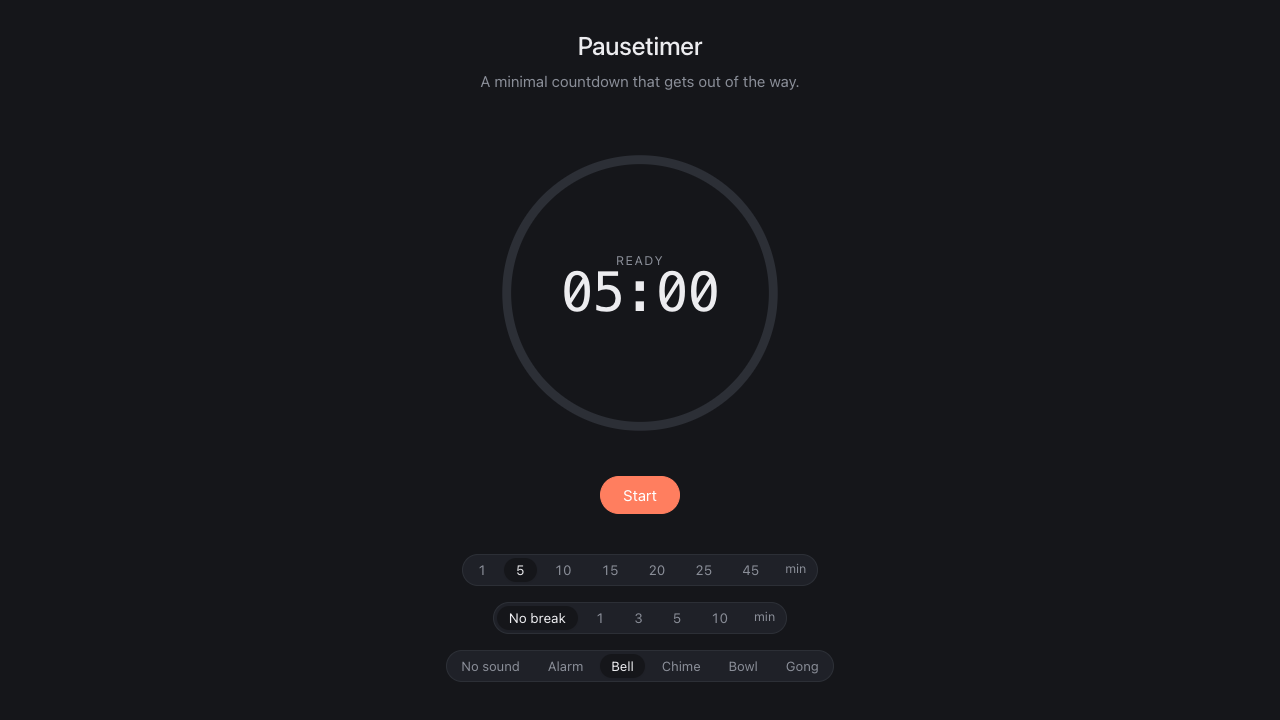
So I built pausetimer.app. Pick a length — 1, 5, 10, 25, 45 minutes — hit Start. The browser tab title shows the remaining time so you can leave it in the background. When it’s over, a sound plays.
You pick the sound
Default is a soft bell. There’s also an alarm if you actually need to be jolted, a three-note chime, a Tibetan singing bowl for the yogi crowd, a deep gong, and an ascending breath. Tap any of them to preview. All synthesised in the browser, so the page works fully offline once loaded.
Toggle Repeat to chain focus blocks together with a short pause between — pomodoro-style if you want it. Default is 5 min focus / 1 min break, but use whatever rhythm suits you. The break starts automatically when focus ends. The next focus block starts automatically when the break ends. Reset stops the cycle whenever.
Three places I actually use it
A quick focus block. Twenty minutes on one task, no Slack, no email. Then I take a break.
Kitchen timer. I’m not opening a kitchen timer app. I’m not asking Siri. I have a tab open already.
Breathing breaks. Singing bowl, 3 minutes, eyes closed. Resets the day.
The page loads instantly, works offline once loaded, and remembers your last setup. The browser unlocks audio on your first click — no permission popup needed.
Leave a Reply